


Detroit Free Press: Freep
3.01.03K Reviews
App Specs
- Version
- 8.10.3
- Updated On
- License
- Free
- Downloads
- 100,000+
- Developer
- USA TODAY Co.
- Categories
- News & Magazines
- Platform
- Android
Screenshots




 Analysis by AppCompare
I judge a local news app not only by how quickly it puts stories in front of me, but also by how clearly it lets me decide what deserves my attention. Detroit Free Press: Freep is a news and magazines app from USA TODAY Co. centered on Detroit and Michigan, with sports, entertainment, breaking coverage, and an eNewspaper. That local focus is its clearest reason to choose it over a broad headline feed: it gives readers a place to follow stories tied to the region rather than treating Detroit as a passing item in national coverage.
Trust is harder to assess than story selection. I can judge whether the app’s visible choices feel useful, but I don’t treat an uncluttered screen or a familiar publisher name as proof of anything about privacy. If you are careful about app permissions or account settings, take a moment to review the choices presented on your device and in the app before settling into a routine. I would rather make that check deliberately than assume every news app handles those questions the same way.
A local lens, not a replacement for every source
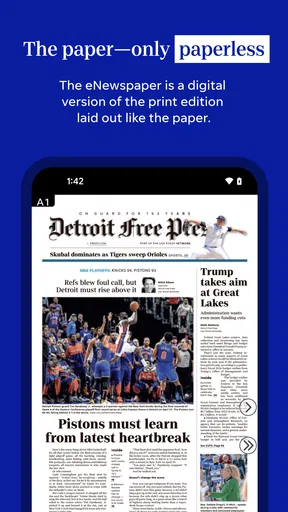
The app makes the most sense for someone whose everyday interests overlap with Detroit: local developments, Michigan news, area sports, and entertainment coverage. I’d use it to get oriented on a regional story, then turn to a specialist source when I need a deeper technical explanation or a second perspective. A national news app can offer a wider sweep, while a newspaper’s eNewspaper can be more satisfying if you prefer a familiar page-by-page reading rhythm. Freep’s appeal is the combination of local reporting and several kinds of news in one place.
That distinction matters if you are deciding whether it should become your main news app. If your priority is a quick overview of world headlines, a general-purpose aggregator may be more efficient. If your priority is keeping Detroit in view, this app has a more specific purpose. I find it most useful as a regional companion rather than a promise that one source can answer every question or represent every angle.
Make the reading routine work for you
A practical way to use it is to separate urgent checking from longer reading. I’d glance at the latest local coverage when I have a spare minute, save a story that deserves more attention, and return to it when I can read without interruptions. That turns a news app into a small reading queue instead of another stream I feel obliged to keep refreshing. The eNewspaper also gives readers another way to approach the day’s coverage when they want a more newspaper-like session rather than a quick scan.
Notifications deserve a little thought. Breaking alerts can be helpful when a developing local story affects your plans, but every alert also competes with messages and other interruptions. I’d start with only the topics I genuinely want pushed to me, then adjust after seeing how often they matter in a normal week. If you prefer to check news on your own schedule, keeping notifications limited—or leaving them off if the app offers that choice on your device—can make the experience calmer. The important point is to use the controls you can see, rather than letting an app set your attention by default.
What the numbers say, and what they don’t
The app is free to download, though it includes in-app purchases priced from $1.99 to $69.99 per item. I’d keep that distinction in mind before treating “free” as a guarantee that every part of the reading experience has no cost. Check the purchase details shown in the app before confirming anything, especially if you are setting it up for a family member or using a device where purchases are shared. It is a simple habit, but it keeps the choice with you.
Worth Reading Before You Choose

EA SPORTS FC Mobile 26 Is a Bigger Football Game, but It Takes Time

Flipboard Shows What News Apps Must Do Beyond the Feed

Switching to Android Auto Means Rethinking Your Driving Routine

Google Calendar Makes a Crowded Week Easier to Manage

Ludo King Makes the Most of the Minutes Between Plans

Baby Panda World Brings Quick Play to Modern Phones, but Its Game Library Feels Busy
Its average rating is 2.8 from around 2,500 ratings, alongside roughly 1,000 written reviews. That is a reason to approach it with realistic expectations, not a verdict on the experience you will have. Ratings can reflect different devices, expectations, and reading habits. I’d install it for its Detroit-specific coverage, try the main ways I expect to read, and decide whether it fits my routine before making it my default news source.
It has reached over 100,000 installs, is rated for Everyone 10+, and has been available since September 14, 2010. The current version is 8.7.1, and it requires Android 8.0 or later. Those details help set expectations about availability and suitability, but they do not tell me whether the app’s current interface or controls will suit a particular person. I would still check the app on my own device and review its visible settings rather than relying on age or install figures as a substitute for personal judgment.
Getting Started with Freep
First things first, downloading the app is a breeze. You can find it on both Android and iOS platforms, and it’s free, which is always a win in my book. Once you’ve got it installed, you’re greeted with a clean and intuitive interface that makes diving into the content super easy. No fuss, no muss—just straight to the news.
News at Your Fingertips
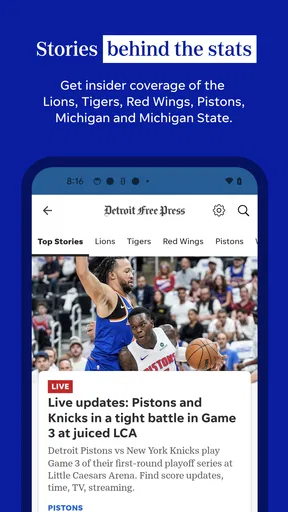
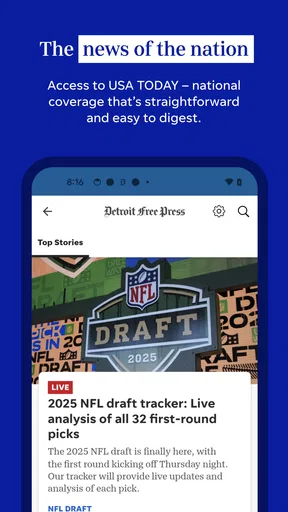
One of the things I appreciate most about Freep is how it organizes its news. You’ve got your sections clearly marked, from local and national news to sports and entertainment. There's even a dedicated section for Michigan-specific news, which is perfect if you're a local or just really into what's happening in the Mitten State.
The app also delivers breaking news notifications. Now, I know what you're thinking—"Not another app bombarding me with alerts!" But hear me out. These notifications are genuinely useful and not overwhelming. You can customize what you want to be notified about, so if you're only interested in sports updates or political news, you can tweak the settings to your liking.
Digging Deeper into Features
Another cool feature is the ability to save articles. Whether you’re on the go and don’t have time to read a full article or you want to revisit something later, the app makes it easy to bookmark and come back to it. This is a lifesaver for someone like me who tends to jump between articles and tasks throughout the day.
For those who love visuals, the app offers a rich gallery of photos and videos. The multimedia content is a nice touch and really complements the written articles, providing a fuller picture (pun intended) of the stories. Plus, the quality of the images and videos is top-notch, making for an engaging experience.
My Personal Take
As someone who loves staying informed but doesn’t have a ton of time to sift through lengthy articles, I find the app’s concise and well-written stories incredibly appealing. The writing is sharp, and the topics are relevant, which keeps me coming back for more. It's like having a mini version of the newspaper, minus the ink on your fingers.
The user interface is another highlight for me. It’s sleek and doesn’t feel cluttered, which is crucial when you’re trying to get the latest scoop without any distractions. Plus, the app loads quickly, so you’re not stuck waiting for pages to refresh.
Room for Improvement
Now, no app is perfect, and while Freep hits a lot of high notes, there are a couple of areas that could use a little polish. For instance, while the ads are minimal, they can be slightly intrusive at times. It's not a deal-breaker, but something to be aware of if you’re someone who gets frustrated with pop-ups.
Additionally, while the app is pretty comprehensive, there’s always room for expanding the range of topics. It covers a lot, but adding more niche sections could cater to a broader audience.
Who will get the most from it?
I’d recommend it most to Detroit-area readers who want regional coverage close at hand, people following Michigan sports, and former residents who still care about what is happening back home. It can also suit someone visiting the area who wants local context alongside national reporting. For those readers, the value is not simply having another news feed; it is being able to check local stories, sports, and entertainment without building a separate collection of sources from scratch.
It is less compelling if you want a highly customizable dashboard, extensive niche coverage, or a single app that gives equal depth to every region and subject. A national aggregator is usually better for scanning many publishers quickly, while a dedicated sports app may be a better fit if scores and team analysis are all you want. I would not ask Freep to replace those tools. I’d use it when Detroit and Michigan are the reason I opened a news app in the first place.
A realistic day with the app
Imagine checking local headlines over breakfast, spotting a developing story that could affect your commute, and opening the full article when you have a quiet moment later. If another piece looks worth keeping, saving it gives you a way to return rather than trying to remember its headline. At lunch, you might check the sports section; in the evening, the eNewspaper offers a different format for a more deliberate read. That is a useful rhythm because it gives each feature a job instead of turning every spare moment into an endless scroll.
There is a trade-off: a saved story is only useful if you make time to revisit it, and notifications help only when they are relevant enough to justify the interruption. I’d treat bookmarks as a short reading list, clearing or catching up on them regularly, and keep alerts narrow. That small routine can make the app feel more manageable than simply opening it repeatedly whenever a notification arrives.
Reading choices and practical limits
When deciding between the article feed and the eNewspaper, I’d choose based on the kind of attention I have. The feed is better for dipping into a topic or checking what is changing; the eNewspaper is a natural option when I want a more contained reading session. Neither format automatically makes a story more complete, so for a consequential issue I would still compare coverage and look for reporting that answers the specific question I have.
Photo and video coverage can add useful context, especially when a story is visual, but it may not be the best choice when I need a quiet, low-data way to catch up. In that situation, I’d favor text and avoid opening media until I have a suitable connection and time. This is a practical distinction, not a claim about how much data the app uses: the reader can choose when visual material is worth the extra attention and connectivity.
For a careful first run, I’d check the notification settings, look over any account or purchase choices that appear, and decide which sections I expect to revisit. I would also review the permissions requested by the app on my device and allow only what I am comfortable with. These steps do not require assuming anything about the publisher’s data practices; they simply help me keep control over what I enable and what I pay for.
A measured recommendation
All in all, if you’re looking for a reliable and efficient way to keep up with the latest news in Detroit and beyond, Freep is definitely worth checking out. It’s got a solid mix of content, an easy-to-navigate design, and enough features to keep even the most avid news junkies satisfied. Whether you’re a Detroit native or just someone who wants to stay informed, this app is a keeper in my book.
My recommendation is a little more specific: try it if local Detroit and Michigan reporting is something you will actually read, and judge it by how its sections, saved stories, alerts, and eNewspaper fit your own day. Go in aware that purchases are available and that the modest average rating signals mixed user experiences. If you need broad international coverage, deep specialist reporting, or a reading experience with no interruptions, a different source may serve you better. For a reader who wants a convenient regional starting point and is comfortable making deliberate choices about alerts and purchases, it is a sensible app to keep on the phone.
Pros
- User-friendly interface enhances navigation.
- Comprehensive local news coverage.
- Regularly updated with breaking news.
- Customizable notifications for user preference.
- High-quality multimedia content included.
Cons
- Occasional in-app ads can be distracting.
- Requires internet for full functionality.
- Limited content in free version.
- Some features need subscription.
- App size is relatively large.
FAQs for Detroit Free Press: Freep
What features does the Detroit Free Press app offer?
The Detroit Free Press app provides users with comprehensive news coverage, including breaking news alerts, in-depth articles, opinion pieces, and sports updates. It also offers multimedia content, such as videos and photo galleries, alongside an easy-to-navigate interface. Users can customize their news feed to focus on specific interests and receive notifications for important updates.
Is the Detroit Free Press app free to use?
The app is free to download, offering a selection of content at no cost. However, to access premium content and exclusive articles, users may need to subscribe to a paid plan. Subscription details and pricing are available within the app and can vary based on current promotions or offers.
How user-friendly is the Detroit Free Press app?
The app is designed with user-friendliness in mind, featuring a clean and intuitive layout that makes navigation simple. Users can easily browse through different sections, save articles for later reading, and share stories via social media. The app also includes search functionality to quickly find specific topics or articles.
Can I access offline content with the Detroit Free Press app?
Yes, the app allows users to save articles for offline reading. This feature is particularly useful for those who want to catch up on news during commutes or when internet access is limited. Simply bookmark articles while online, and they will be available to read offline at your convenience.
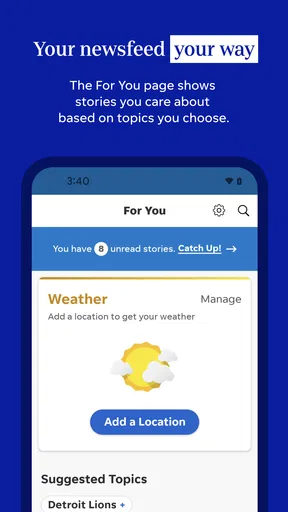
How can I customize my news feed in the Detroit Free Press app?
Users can personalize their news feed by selecting topics or categories of interest, such as local news, sports, or entertainment. The app provides options to follow specific sections or reporters, ensuring that users receive the most relevant updates and notifications tailored to their preferences.


